Learn how to add your business to ChatGPT, claim your profile, complete verification and improve your visibility through SEO and AI-powered search.
The way people search for businesses online is changing. Traditionally, customers used Google Search, Google Maps and online business directories to discover companies, products and services. Today, AI-powered platforms like ChatGPT are creating additional ways for people to research businesses, compare services and explore products.
Table of Contents
For example, someone might ask ChatGPT:
- Which are the best digital marketing agencies in Pune?
- Suggest a reliable website development company near me.
- Where can I buy organic cotton baby clothes online?
- Recommend an experienced SEO consultant for my business.
These conversational searches create new opportunities for businesses to build a stronger online presence.
OpenAI has introduced Businesses in ChatGPT, a platform that allows eligible businesses and their authorised representatives to claim and manage business information through Business Hub.
Businesses can provide accurate information, update their profiles, connect supported product feeds and access aggregated insights about how they appear in ChatGPT.
If you want to understand how to add your business to ChatGPT, this guide covers the claiming process, verification requirements, eligibility, Business Agents and SEO strategies for improving your online visibility.
What Is Businesses in ChatGPT?
Businesses in ChatGPT is an OpenAI initiative that helps customers discover businesses and understand their products and services through ChatGPT.
Through Business Hub, eligible business owners or authorised representatives can claim an existing business listing or add an eligible business, complete the required verification and manage available business information.
Depending on eligibility and available features, businesses can manage information such as:
- Official business name
- Business category
- Website URL
- Business description
- Products and services
- Business contact information
- Address or service area
- Logo and cover image
- Relevant business policies
Retailers can also connect or upload supported product feeds containing product information, pricing and availability.
ChatGPT may use this information when answering relevant customer questions.
Official OpenAI resource: https://openai.com/business/businesses-in-chatgpt/
Why Should You Add Your Business to ChatGPT?
Customers are increasingly exploring conversational AI to research products, services and companies. Having accurate business information available through supported AI discovery experiences can help customers understand what your business offers.
Here are some potential benefits.
Improve Business Visibility
Claiming an eligible business profile gives you a way to manage the information associated with your business in ChatGPT.
It can support your business presence when customers explore relevant products and services.
Build Customer Trust
Accurate business information, service descriptions, contact details and website links help customers understand your company before contacting you.
Keep Business Information Updated
You can manage available business details after completing the required verification process.
This helps maintain accurate information about your products, services and business operations.
Support AI-Powered Product Discovery
Retail businesses can share product information through supported product feeds.
This can help customers explore product details, prices and availability through ChatGPT.
Understand Customer Discovery
Eligible businesses can access aggregated insights through Business Hub.
These may include business mentions, website clicks and discovery topics that describe common themes associated with business discovery.
The insights do not provide individual customer conversations or private prompts.
How to Add Your Business to ChatGPT: Step-by-Step Process
Follow these steps to get started with Businesses in ChatGPT.
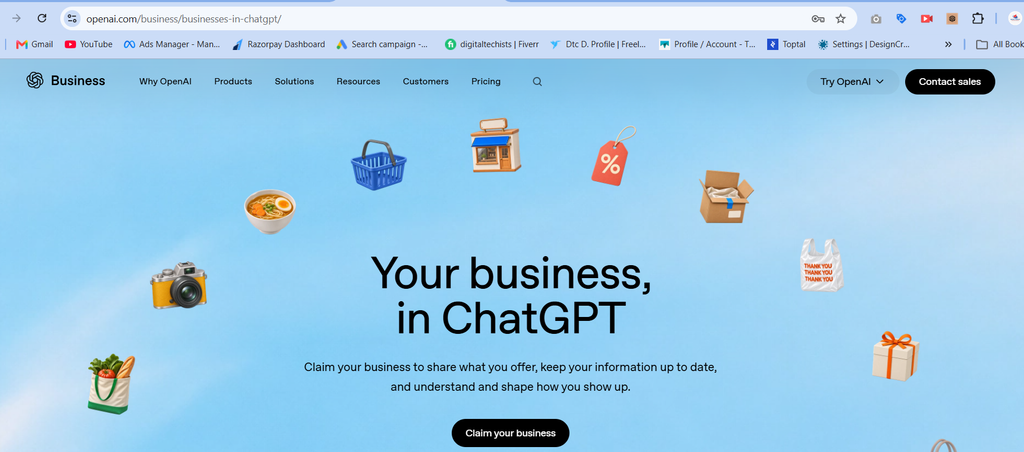
Step 1: Visit the Official OpenAI Business Page
First, visit the official OpenAI website:
https://openai.com/business/businesses-in-chatgpt
Select the option to claim your business.
You can also access Business Hub through ChatGPT when the feature is available to your account.
Step 2: Sign In to ChatGPT Business Hub
Sign in using your ChatGPT account.
Open Business Hub from the available navigation and search for your business by its official name.
Select the listing that matches your business.
If you receive a business claim invitation, follow the link provided in the email and sign in using the associated account.
Make sure you are the business owner or an authorised representative.
Step 3: Select Your Business Verification Method
After selecting the correct business listing, follow the verification instructions displayed by OpenAI.
Depending on your business and the available options, verification methods may include:
- Business phone verification through SMS or an automated call
- Business email verification
- Website domain verification using a DNS TXT record
- Shopify store verification
For website domain verification, you may need access to your domain’s DNS settings.
If someone else manages your website or domain, ask them to add the verification record provided by the platform.
The available verification methods can differ between businesses.
Step 4: Wait for Business Claim Approval
After submitting your verification details, OpenAI reviews your claim.
You will receive an email with the decision or a request for additional information.
Once your claim is approved, you can access your business through Business Hub.
Step 5: Complete Identity Verification
Business claiming and identity verification are separate stages.
OpenAI uses Persona for identity verification before allowing certain business management features.
Depending on the verification request, you may need:
- Government-issued identification
- Business registration information
- Proof that you are authorised to represent the business
Follow the instructions displayed during the verification process.
A blue verified checkmark appears after the required Persona verification is approved. Simply submitting a business claim does not automatically provide a verified badge.
Step 6: Add or Update Your Business Information
After the required verification is approved, open your business profile in Business Hub.
Review the available information and update it accurately.
Include:
- Official business name
- Business category
- Website URL
- Business description
- Products and services
- Business logo
- Contact information
- Delivery and return policies, where applicable
Write a clear business description explaining what your company does, which services it provides and which customers it serves.
Avoid keyword stuffing, misleading claims and unsupported business information.
OpenAI reviews submitted changes, and updates may take time to appear in business listings or ChatGPT responses.
Step 7: Connect Your Shopify Store (For Eligible Retailers)
If you operate an eligible Shopify store, you can connect it through the supported Shopify integration.
The general process includes:
- Open Shopify Admin or ChatGPT Business Hub.
- Select the option to connect your Shopify store.
- Review the permissions and sign in to your Shopify account.
- Review your business and product information.
- Complete the available setup instructions.
Your product details, pricing and availability can be shared through Shopify’s catalogue.
Retailers can also use supported product feed options, including CSV feeds, where available.
Connecting a product feed does not automatically publish a Business Agent or guarantee product recommendations.
Step 8: Set Up a Business Agent (If Eligible)
OpenAI also provides Business Agents for eligible businesses.
A Business Agent is an AI-powered conversational experience that can answer customer questions using business information, product details and policies provided by the company.
For example, an ecommerce business may use its Business Agent to answer questions about product features, delivery information and return policies.
The setup generally involves:
- Open your verified business in Business Hub.
- Select the available Business Agent option.
- Review the information and policies used by the agent.
- Configure its instructions.
- Test the agent using common customer questions.
- Publish it when you are satisfied with its responses.
Important: Business Agents have separate eligibility requirements. As of November 2026, OpenAI identifies eligible ecommerce and online service businesses in the United States as the supported starting market, with expansion planned. Business profile claiming and Business Agent access should not be treated as the same feature.
What Are the Eligibility Requirements for Businesses in ChatGPT?
Not every business can claim a profile immediately.
OpenAI determines eligibility based on factors such as:
- Business location
- Business industry
- Website availability
- Verification requirements
- Business ownership or authorisation
- Integrity and safety checks
You must own the business or have permission to represent it.
Eligible businesses can claim their profiles in locations where ChatGPT is offered and the required verification is supported.
However, availability can differ by business type. For example, OpenAI’s current Help Center states that local stores and restaurants can currently claim only an existing US listing, while eligible online businesses may have an option to add a business.
Business Agents have additional location and industry requirements.
For businesses in India: Check the current Business Hub claiming process to confirm whether your business type and location are supported. Do not assume that Business Agent access is available simply because you can access ChatGPT or submit a business claim.
How to Improve Your Business Visibility in ChatGPT Through SEO
Claiming your business profile is only one part of building your online presence.
Your website content, business information, technical SEO and online reputation can also help search and AI systems understand your business.
Here are some practical recommendations.
Optimise Your Website Content
Create informative website pages that clearly explain your business, products, services and expertise.
For example, a digital marketing agency should have dedicated website pages for:
- SEO Services
- Website Development
- Social Media Marketing
- Google Ads Management
- Content Marketing
- Local SEO
Each page should explain the service, its benefits, relevant processes and common customer questions.
Use natural language and organise information with descriptive headings.
Maintain Consistent Business Information
Keep your business name, address, phone number and website information consistent across relevant online platforms.
Update your Google Business Profile and genuine business directories whenever your business information changes.
Consistent business information helps customers and search systems understand your business details.
Publish Helpful and Relevant Blogs
Create useful articles that answer questions your potential customers are searching for.
Some relevant blog topics include:
- How to Choose the Right Digital Marketing Agency
- Benefits of Professional Website Development
- Why Local SEO Matters for Small Businesses
- How AI Search Is Changing Online Business Discovery
- SEO vs AEO vs GEO: Understanding the Differences
Focus on answering real customer questions instead of repeating keywords unnecessarily.
Implement Structured Data
Use relevant Schema Markup to help search engines understand your website content.
Depending on your website, useful schema types may include:
- Organization
- LocalBusiness
- Product
- Service
- Article
- BreadcrumbList
Ensure that structured data accurately represents the information visible on your website.
Structured data supports content understanding but does not guarantee that your business will appear in ChatGPT recommendations.
Improve Website Authority
Build a trustworthy online presence through relevant industry publications, genuine business directories, professional profiles and quality backlinks.
Focus on:
- Relevant industry websites
- Genuine business citations
- Helpful content contributions
- Professional company profiles
- Relevant editorial mentions
Avoid purchasing spam backlinks or creating fake business listings.
Make Your Website Easy to Access
Technical SEO helps ensure that search engines can access and understand your website.
Review these important elements:
- Website is mobile-friendly.
- Important pages load quickly.
- Website uses HTTPS.
- XML sitemap is available.
- Important pages are crawlable and indexable.
- Robots.txt does not unintentionally block important content.
- Internal links connect relevant website pages.
- Broken links and unnecessary 404 errors are resolved.
- Canonical tags are configured correctly.
Regularly monitor website performance through Google Search Console and Google Analytics.
Create Content for AEO and GEO
Search behaviour is expanding beyond traditional search engines.
Answer Engine Optimisation (AEO) focuses on creating content that directly answers user questions.
Generative Engine Optimisation (GEO) focuses on making business information clear, useful and understandable across AI-powered discovery experiences.
Businesses can strengthen their content strategy by:
- Answering customer questions directly.
- Adding informative FAQs.
- Publishing original and useful content.
- Supporting factual claims with reliable sources.
- Showing genuine business experience and expertise.
- Keeping business and service information updated.
These practices can improve content quality and discoverability, but no SEO technique guarantees inclusion in AI-generated answers.
How Digital Marketing Agencies Help Businesses Improve Their Online Visibility
Adding your business to AI-powered platforms like ChatGPT is one step towards building a stronger digital presence.
However, businesses also need a well-optimised website, quality content, local SEO and a consistent online presence to support discoverability.
This is where professional digital marketing support can make a difference.
Digital Techists Consulting LLP (DTechists) is a Pune-based digital marketing and technology company helping businesses strengthen their online presence through SEO, website development, Google Business Profile optimisation, social media marketing and performance marketing.
Businesses looking to improve their digital presence can explore services such as:
Search Engine Optimisation (SEO): Keyword research, on-page SEO, technical SEO and content optimisation.
Local SEO and Google Business Profile: Improve local business information and visibility across relevant local searches.
Website Development: Create responsive, user-friendly and SEO-friendly business websites.
AI Search Visibility: Prepare website content for better understanding and discoverability across AI-powered search experiences.
Content Marketing: Publish informative blogs and website content that answers customer questions.
Digital Marketing: Build a consistent online presence through social media and paid advertising.
Whether you are a startup, small business or established company, combining SEO, website optimisation and digital marketing can help create a stronger online foundation.
Explore digital marketing and website solutions .
Google Business Profile vs Businesses in ChatGPT
Both platforms help businesses manage their online presence, but they serve different purposes.
| Feature | Google Business Profile | Businesses in ChatGPT |
|---|---|---|
| Main purpose | Business discovery on Google | Business discovery through ChatGPT |
| Business information | Manage business details | Manage eligible claimed profiles |
| Verification | Google verification process | OpenAI claim and identity verification |
| Website information | Website links and details | Website and business information |
| Customer discovery | Google Search and Maps | ChatGPT conversations |
| Business insights | Performance and customer interactions | Aggregated mentions, clicks and discovery topics |
| Product information | Supported Google product features | Supported product feeds |
Businesses should maintain accurate information across both platforms rather than depending on only one source of online visibility.
Common Mistakes to Avoid When Adding Your Business to ChatGPT
Avoid these mistakes when managing your business profile:
Using incorrect business information: Always provide accurate business details, contact information and service descriptions.
Claiming a business without authorisation: Only business owners or authorised representatives should manage business profiles.
Creating duplicate profiles: Avoid fake or duplicate business listings.
Using misleading descriptions: Do not add fabricated reviews, unsupported guarantees or incorrect service information.
Ignoring website SEO: A claimed business profile does not replace website optimisation.
Expecting guaranteed rankings: Claiming a business does not guarantee higher placement, recommendations or sales in ChatGPT.
Ignoring verification requirements: Complete all the required verification stages before expecting access to additional management features.
Conclusion
Adding your business to ChatGPT is an emerging opportunity for businesses looking to manage their presence across AI-powered discovery platforms.
Through Businesses in ChatGPT, eligible businesses can claim their profiles, update important information and access relevant business discovery insights.
However, claiming a profile is only one part of building online visibility.
Businesses should also focus on website SEO, quality content, accurate business information, technical optimisation and a trustworthy digital presence.
As AI-powered search continues to develop, combining traditional SEO with Answer Engine Optimisation (AEO) and Generative Engine Optimisation (GEO) can help businesses prepare for changing customer search behaviour.
Ready to improve your business’s online visibility? Start by reviewing your website, updating your business information and checking your eligibility on the official OpenAI platform.
Official Resource: https://openai.com/business/businesses-in-chatgpt/
Frequently Asked Questions (FAQs)
Can I add my business to ChatGPT for free?
Eligible businesses can use the available claiming process through Business Hub. An Ads account or ChatGPT Enterprise agreement is not required just to claim an eligible business. Additional features have separate eligibility requirements.
How do I claim my business on ChatGPT?
Sign in to ChatGPT, open Business Hub, search for your business, select the correct listing and follow the available verification instructions.
Do I need a website to add my business to ChatGPT?
OpenAI initially makes business claiming available to eligible businesses with a website. Check the current eligibility and claiming options displayed in Business Hub.
Is ChatGPT business verification available in India?
Availability depends on the business location, business type and supported verification process. Eligible online businesses may be able to claim where ChatGPT and the required verification are supported. Local stores and restaurants currently have more restricted claiming availability. Check Business Hub for your specific business.
What documents are required for ChatGPT business verification?
Depending on the verification stage, you may need a business phone or email, website domain access, Shopify store access, government-issued identification, business registration information and proof that you are authorised to represent the business.
The platform displays the verification requirements applicable to your business.
Does adding my business to ChatGPT guarantee visibility?
No. Claiming your business allows you to manage available business information, but it does not guarantee higher placement, recommendations or sales in ChatGPT.
Can I add my Shopify store to ChatGPT?
Eligible Shopify merchants can connect their stores through the supported integration. Product details, pricing and availability can be shared through Shopify’s catalogue.
What is a Business Agent in ChatGPT?
A Business Agent is an AI-powered conversational experience that answers customer questions using information and guidelines provided by an eligible business.
Can ChatGPT recommend my business without claiming a profile?
Yes. ChatGPT may show information about businesses from other sources when customers ask relevant questions, even if those businesses have not claimed a profile.
Is claiming a business profile the same as publishing a Business Agent?
No. Claiming a business profile and publishing a Business Agent are separate capabilities. A business may be able to manage its profile without being eligible to publish an agent.